
TAGA presents two Bruno Awards to Adobe Systems pioneers

John Warnock and Jim King, both of Adobe Systems Incorporated, are recipients of the Michael H. Bruno Award for 2012.

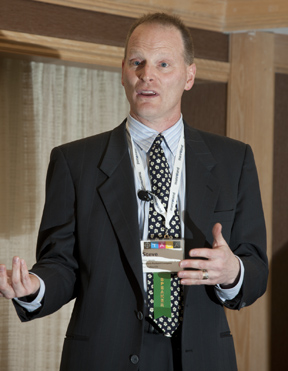
Jim King of Adobe Systems accepts the Michael H. Bruno Award at the 64th Technical Conference of the Technical Association of the Graphic Arts in Jacksonville, Florida in March. King, and his company’s founder John Warnock, both were honored by TAGA for their contributions to the graphic arts industry.

At the 64th annual Technical Conference of the Technical Association of the Graphic Arts (TAGA), the organization presented its highest award to a pair of scientists from Adobe Systems.

John Warnock, co-founder of Adobe, and James C. King, Adobe PDF Architect, are both recipients of this year’s award, which is given for technical achievement in the graphic arts.

Warnock was not able to be present for the presentation, but Dr. King was given his award on Tuesday evening at the Jacksonville, Florida event.

James King was one of the first people to receive a Ph.D. in what we now call “computer science,” a degree he received from Carnegie-Mellon University in 1969. After graduation, he went to work at the Thomas J. Watson Research Center at IBM’s facility in Yorktown Heights, NY.

In 1978, King moved with his family to work a IBM’s San Jose, California laboratory, which he managed for eight years before leaving IBM to work at Adobe Systems.

Dr. King was instrumental in the development of PostScript Level 2, which added many features to Adobe’s page-description language, making it more useful to the graphic arts industry. The upgrade added support for color management, Asian language typography, improved halftone-rendering, and more.

Joining forces with others from the budding desktop publishing field, King was involved in the founding of the International Color Consortium, an organization that was critical to the creation of color standards and systems that are still in use today.
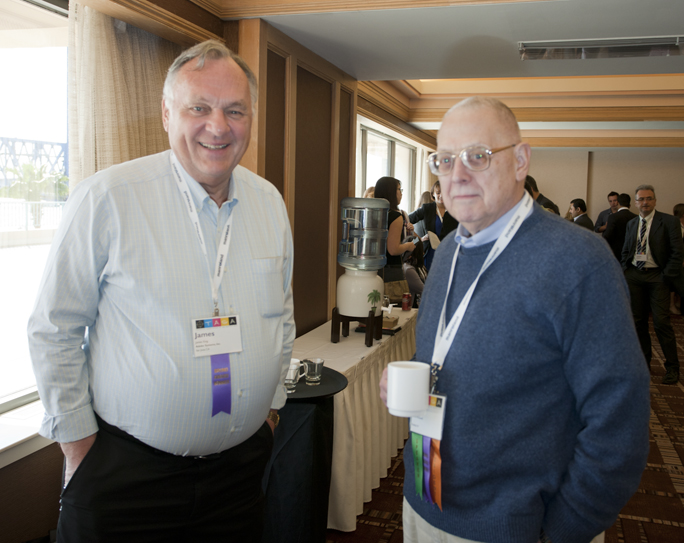
Adobe’s Jim King chats with David McDowell at the TAGA Conference in Florida.

In 2007, Dr. King was named Adobe PDF Architect, and he worked with a team of computer scientists to make PDF into an international standard for page description and display. In 2008, this work led to the creation of the ISO 32000 standard. He and his team continued to perfect the standard, resulting in the revised 32000-2 in 2010.

The Bruno Award has been presented to 76 individuals since 1976, the honorees being chosen by the board of directors of TAGA for their contributions to the science and technology of the graphic arts.

Dr. Warnock expressed his regrets that he could not attend the event due to a scheduling conflict.

Posted in People | Leave a comment

2012 TAGA Student Chapter award

Reported partly in-flight on my way home from the 2012 Technical Conference of TAGA

On Tuesday evening, at the 64th annual conference of the Technical Association of the Graphic Arts, awards were presented to the student chapters of the organization, and the annual presentation of the Michael H. Bruno Award took place.

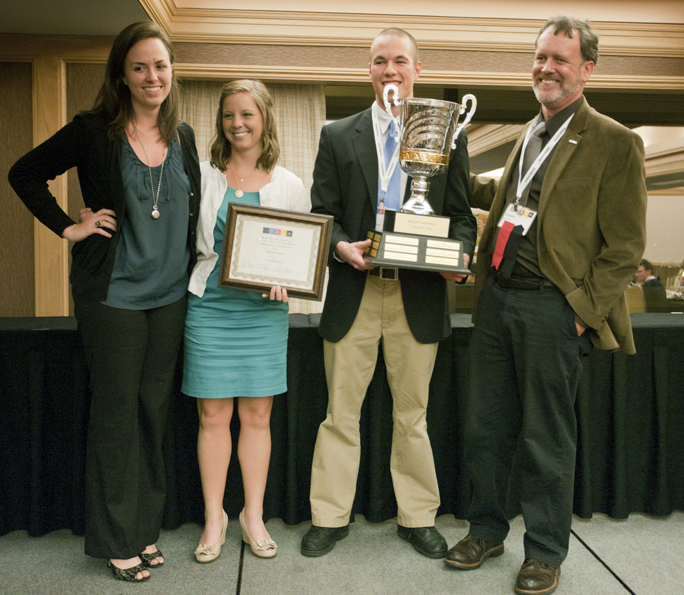
Representatives of the Clemson University TAGA Student Chapter: Jessie Thomson; Mary Vaughan Williford; Josh Boland, President; and their Advisor, Dr. Liam O’Hara. They are holding the Helmut Kipphan Cup, awarded annually to the university team who win the competition.

The overall best publication award was presented to the students from Clemson University. The Clemson publication was printed and bound by students of the Graphic Communications Department. The student group used various clear and tinted varnishes to enhance the cover and the divider pages with the perfect-bound book.

Clever “analog” animation illustrations were printed periodically in the book, and a special animation bookmark page was included in the book that allows the reader to see the animations on the page.

Included in the technical papers printed in the Clemson book was a graduate research paper by Alexandra Hartman which won this year’s Dusty Rhodes Award for best graduate research paper. Ms. Hartman’s research paper discusses the techniques she used at Nth Degree Technologies in Tempe, Arizona, to make printed supercapacitors.

These thin products can be used in place of batteries to store a small amount of electricity. Hartman’s sponsoring organization, Nth Degree, is the producer of various printed electronic components (see my blog about Bill Ray’s Impossible Bulb).

The difference between a battery and a supercapacitor is that a battery stores electrons while a supercapacitor stores ions. Printing a superconductor required Ms. Hartman to create both the media for printing, and the technique for printing these devices. Her paper is very interesting, and will be posted in the Conferene Proceedings later this year on the TAGA web site.

I congratulate the students of Clemson University for their work, and for their commitment to the TAGA organization. I had the pleasure of sitting at the dinner table with these Clemson students on Monday evening, and I found them to be bright, eager students who are intent of making a difference in the industry. Clearly they have already begun to make a difference.


Posted in Education, New technology | Leave a comment

Steve Simske keynote – TAGA 2012

The first afternoon sessions of the 2012 TAGA Conference were excellent. Among them was an excellent presentation by Steve Simske, an HP Labs Fellow, who addressed the audience on the topic of security printing, counterfeit prevention, and the effects on the economy of global counterfeiting.

His talk was only partly about the counterfeiting of currency, itself a problem. He spoke about counterfeit products including tennis shoes, handbags, designer dresses, and toner. Apparently Hewlett-Packard suffers from loss of sales to a large number of counterfeit toner cartridges made by companies other than HP. Simske’s work for HP has included markings and on-package security techniques that help HP and law enforcement agencies worldwide to be able to identify authentic merchandise from the pirated variety.

What made Mr. Simske’s presentation so enjoyable was his commentary on economic facts – about two trillion dollars worth of counterfeit products are sold annually into the world economy – and a dollop of HP marketing information that was informative and very obviously prepared by marketers. Simske made reference himself to the way that marketers prepare copy and company information.

Steve Simske of Hewlett-Packard, speaking about security printing, product counterfeiting, and data security during his Sunday’s TAGA conference keynote address.

Mr. Simske’s presentation included a sobering amount of information about the information that companies and agencies gather about us, and also about the private information that we readily give up about ourselves by choosing to use services like store loyalty cards, our responses to online offers, and services like Facebook.

He pointed out that the level of security needed to hack into most accounts is limited to knowledge that can be gleaned in a few minutes by anyone with a rudimentary knowledge of the Internet.

For example, he pointed out that many web sites offer to send you your “lost password” if you simply provide your mother’s maiden name. He mentioned that almost anyone can find that information, then set-up an “anonymized” e-mail address with which to receive the password, and then they will have access to your account.

Though I don’t know how to do the last step in that process, I certainly know how to find your mother’s maiden name – if you have ever used Geni, or Ancestry.com, I can look that information up in a matter of minutes.

We all give up personal information in exchange for “free” services. I have a Facebook account, for example (I haven’t touched it in months). In order to use Facebook, I clicked on a button that said “Agree” and then I moved into my new Facebook space. I published my photo (a delightful image of me wearing a top hat with a pigeon on top). I posted my age, my high school information, my college information, and then immediately began getting ads from classmates.com inviting me to get in touch with old chums from the late ’60s. Did I expose myself to hackers who are looking for information about my family so that they can access my PayPal account? Absolutely! (there is no money in my PayPal account).

Mr. Simske’s presentation was enlightening, a little frightening, and in general it posed a challenge for all of us not to expose ourselves, our companies, our families, or our associates to fraud and fraudulent products. We might enjoy a little tiny bit of privacy in our lives, but judging from our public behavior, it appears not.


Posted in Mistakes you can avoid, New technology, People | Leave a comment

A new lightbulb produced on a printing press

Reported from TAGA 2012, Jacksonville, Florida

Bill Ray has been talking about, and demonstrating printed electronics for a long, long time. I am one of the legions of people who have been impressed by his clever, scientific presentations that fall somewhere between circus side show and academic lecture.

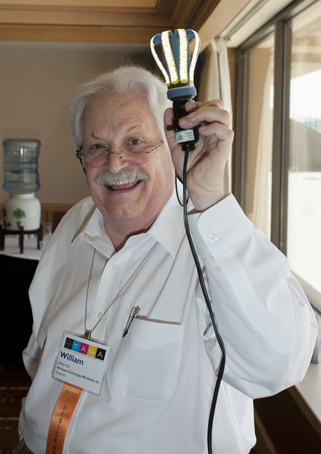
Dr. Bill Ray holds the Impossible Bulb and declares, “This represents 50 million dollars!”
The bulb, which uses inorganic light-emitting diodes distributed along flexible elements in the shape of a conventional incandescent bulb.

Bill is a former TAGA president, a lifelong member of the graphic arts community, and an inventor. For the past 15 years he has been concentrating his efforts on the merger of conventional printing processes and the manufacture of electronic and electrical products.

I have a sheet of TIO (Tin-Indium-Oxide) foil in my office that features a screen-printed image of a Motorola cell phone (which dates the product to before the current line of smart phones). This printing lights-up when I flip a switch on a battery box connected by a flat cable to the TIO foil.

Bill Ray gave me this printed marvel a few years ago. I have showed it to my students for years, and they are always impressed. They are impressed because they know about printing processes and substrates. They are impressed because, until recently, they had never seen “paper” emit light (My sheet of TIO foil is a substitute for the “paper” in that sentence).

Dr. Ray has made many presentations to students, and he always ends his talks by taking a prototype of some product out of his briefcase, attaching a battery to it, and making people gasp in excitement when that product lights up.

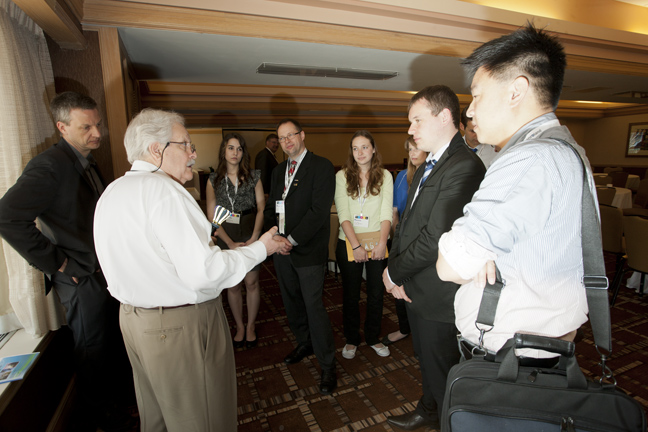
A group of TAGA students listen to Dr. Ray as he explains his new light-emitting device.

And he has promised us for years (decades?) that soon – really soon – he would be able to show us a consumer or industrial product that would commercialize his scientific work combined with his printing experience combined with his novel ideas.

Today Bill Ray showed us that product.

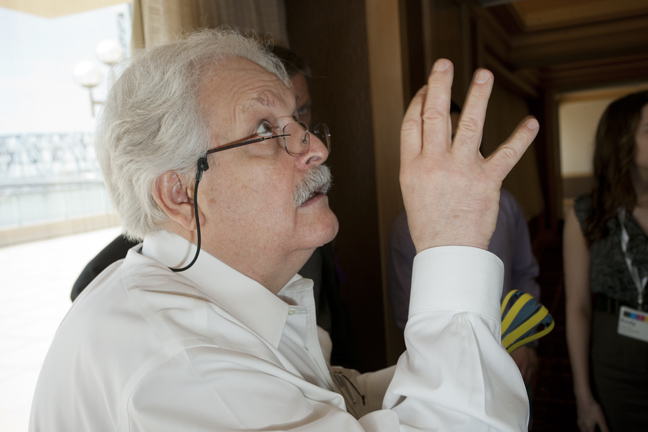
Bill Ray makes a dramatic point in his discussion with TAGA students. He holds in his left hand the Impossible Bulb, powered-off. The yellow strips are screen-printed with thousands of tiny LED elements that emit light when energized.

Called the Impossible Bulb, it is an inorganic LED light bulb that is approximately the size of an incandescent light bulb. The model he showed today emits about the same amount of light as a 20W incandescent lamp while consuming about half that much power.

Most of the bulb is printed by screen printing, including the light-emitting diodes that rim the edges of the bulb. The only part that is “manufactured” is the power supply in the center of the device, whose function is to convert 110V (or 220V) alternating current to 5-volt direct-current to run the light-emitting parts of the bulb. Parts of that power supply are printed on a three-dimensional printer.

Bill told us that the Impossible Bulb got its name from a comment made by an engineer in Southern California who boasted that Bill’s idea for the light-emitting device was impossible.

The bulb is not yet on the market, but it has a name, it has a package, and is being tested by national laboratories. Dr. Ray’s company is manufacturing the bulb, and plans to bring it to a retail store near you later this year.

I admit to having been a bit skeptical, though always impressed, by Bill’s many presentations on light-emitting printing and printed products. I was thrilled this morning to see Bill plug his Impossible Bulb into an electrical outlet, and turn it on.

I congratulate him and his company, Nth Degree, for their success in making this new light bulb (that really isn’t a bulb) and bringing it to market. The implications for the printing industry are immense, and the benefit to humanity is tremendous. The bulb has no toxic gases, metals or parts; it consumes very little enrgy, and the color of its light is pleasing to the eye.

I’m excited because this is just the first day of TAGA, and we have already seen this impressive new product.


Posted in New technology, People | 4 Comments

Recipe for cooking a keyboard and mouse

While slaving over some complex lab notes last week I made a colossal mistake. I was in the third hour of my frantic work when I spilled a freshly-brewed cup of Earl Gray tea into my keyboard. I also flooded my desktop and both my wired mouse and wireless mouse. I dashed for paper towels, mopped-up the tea, then shook the tea out of the keyboard into the towels.

My tea-soaked keyboard would no longer work, the wireless mouse was beyond dead, and the wired mouse dripped tea when I held it up in the air.

I put the aluminum Apple keyboard upside-down on the paper towels, shook the wired mouse out, and I took the batteries out of the wireless mouse. I was – obviously – irritated with myself for making this mistake. It has been years since I did this same act, and I thought that I had learned a lesson about liquids around computers. Obviously not.

Then I took my wife’s keyboard and mouse so I could continue to work.

Since I have been through this before, I had some knowledge of tea in keyboards. Electronic circuits are basically waterproof; they are etched metal laminated to phenolic boards, covered by a fairly thick ink of screen printing. Solder joints are exposed where the chips are mounted. It’s possible for water to get between the circuit board and the chips, and when it does, there is trouble.

My attitude about circuits that get wet is that they are lost, and must be replaced. There is nothing to lose by trying to salvage them.

So I put them in the oven and cooked the water out. Here is the recipe:

Preheat the oven to 200° F
Put the keyboard and both mouses into the oven (no batteries!)
Cook at 200° F for 20-30 minutes
Remove from oven and allow to cool

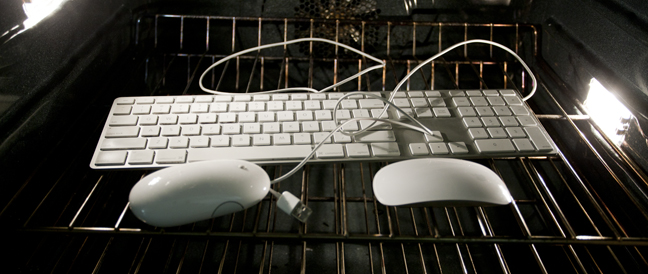
My keyboard and mice in the oven. 20 to 30 minutes at 200°F is usually adequate to cook water out of electronic circuits. You stand a chance that it won’t work when it comes out of the oven, but you have nothing to lose by trying to salvage these devices.

After cooling, plug these accessories into computer and test. If they work, all is well. If not, you are no worse off than you were 30 minutes prior.

If you spill some other beverage into your keyboard, especially one with sugar content (Coca-Cola comes to mind), first wash the keyboard out with lots of hot water, drain it, then cook it. You must remove the sugar, which will wreck a keyboard as it gets sticky.

I count myself lucky that I learned the lesson again without doing much harm to my equipment. I have started using one of those tippy-cups that people use when they take coffee in a car. With that cup, at least I will limit how much tea gets out if I tip the cup over.

When I plugged the keyboard and mouse back in, and returned the batteries to the wireless mouse, everything worked. Hurrah!

Posted in Mistakes you can avoid | Leave a comment

Day Three with the Lytro, continued

Greetings, all of you shoot-now-focus-later types…

I spent the afternoon walking at Morro Bay State Park, and on the Morro Strand State Beach with my new Lytro camera. It was a gorgeous day (almost 80 degrees).

A sand dollar at Morro Strand State Beach, on the central coast of California. You can click on this “Living Picture” to experiment with focus-after-the-fact. I apologize for the crooked horizon; I couldn’t see the viewfinder very well in the bright sunlight.

I used the camera quite a bit, composing images with something in the foreground, and something interesting in the background. Morro Rock, at 581 feet, makes just such an interesting subject. Folks who live in that seaside town call it their “pet rock.”

The Lytro is behaving as advertised. Working with it in bright sunlight proved to exceptionally difficult, so I shaded the camera with my baseball cap when taking photos this afternoon. It was the only way I could see anything on that LCD viewfinder.

Mine! One of Morro Bay’s finest seagulls stands atop Signal Rock, at the entrance to Morro Bay. You can click on the background or the bird to change the focus of this image.

But it still makes interesting photos. I continue to see promise in this technology. It could find its way into scientific cameras, medical optics, and it could be used for forensic photography. At its current resolution it wouldn’t be very valuable, but it won’t take long for the Lytrologists to come out with a “pro” version of this clever camera.

If I could make a suggestion to the Lytro company, it would be to add a tripod socket, which would allow the camera to be used for studio photography more easily.

End of Day Three: I am still impressed with this camera. I was stopped by two women who had read about the camera in the New York Times. They asked me what it’s for. I answered that it’s a technology demonstration, the first of a whole new generation of digital devices as yet unknown.

I liken it to the first digital cameras. What’s it for? Wait and see!


Posted in New technology, Photography | 1 Comment

Lytro Camera, Day Three

I’m getting the feel of the Lytro now. It really cries out for photos that have extremes – something close, something far away, and something in the middle.

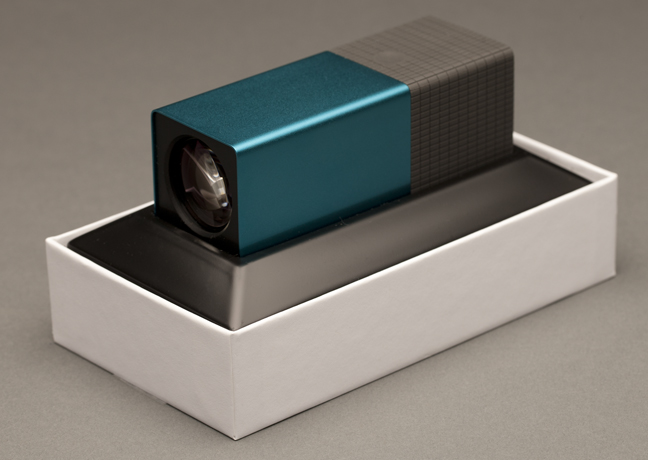
The Lytro camera in its box; it’s an elegant presentation.

The technique for making “Living Pictures” is to frame your image in the viewfinder (while the camera is set in “Creative” mode), and then tap the viewfinder in the middle of the image. Once you have done that, take the shot, and the camera will concentrate its efforts on the part of the image where you tapped.

I took the camera to a choral music concert yesterday, but I didn’t find any opportunities to take photos of value, so I just showed the camera to people and talked about it.

This photo of the Bananagrams tiles makes an excellent Lytro image. Click on the various tiles to change the focus.

This morning my wife and I engaged in a game of Bananagrams, which uses tiles with letters on them. This proved to be an excellent opportunity for a Lytro photo, so I took a few. The best are those with just a few letters in them, focussed primarily on the center tile.

This image is a slightly better image because of the proximity of the closest tile.

In about an hour we’re going out to Morro Bay for a walk along Morro Strand State Beach. I’ll have the Lytro with me for that walk, and I will attempt to take photos that are Lytro-esque. If I make any great images I will post them here.


Posted in New technology, Photography | Leave a comment

Day One with the Lytro camera

My initial reaction to the Lytro: cool!

My blue Lytro camera arrived this afternoon at about 4:00 p.m. I had been out on a photo assignment most of the day, photographing a man and his collection of rare books. It was a fruitful photographic day in every sense of the word.

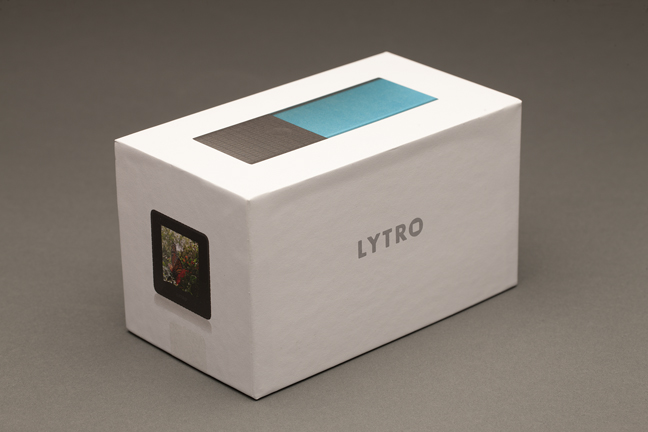
It’s always fun to get new stuff! This is the Lytro box.

I opened the Lytro package, and found a box smaller than I had expected. The camera itself is about 2/3 as big as I had come to expect. Even when I saw the photos of the (very hip) young people holding their Lytro cameras, I didn’t get the size right. It’s very small.

The packaging is excellent, it was similar to opening the box in which an iPhone arrives. Classy printing, classy packaging, and classy industrial design all describe the Lytro.

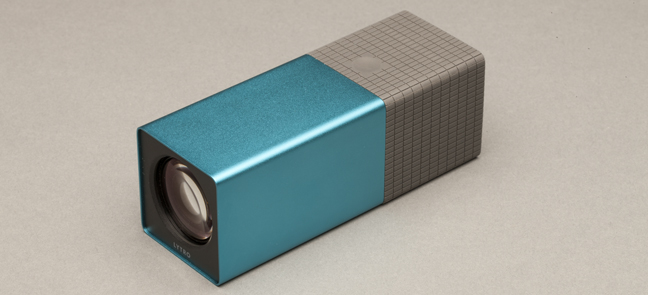
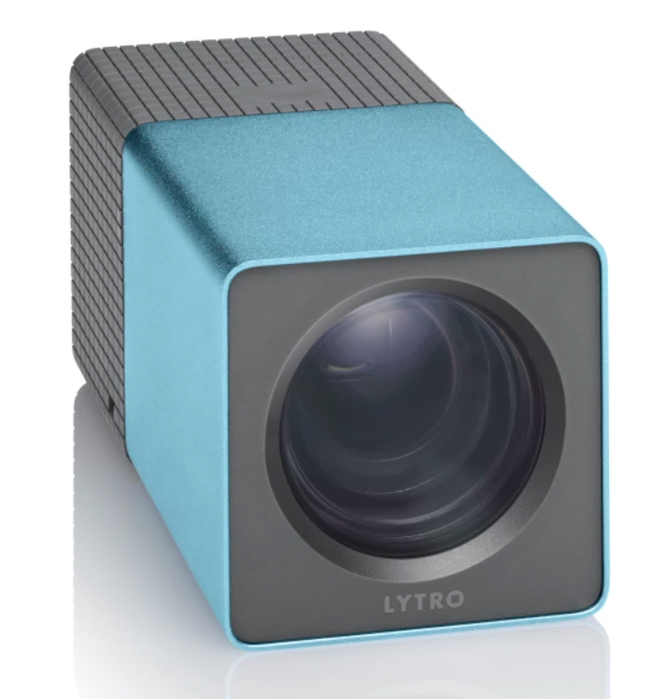
…and this is my Lytro camera. It’s a little smaller than I had imagined it to be – which is good. Its industrial design is superb, and its “feel” is excellent. It takes just a few minutes to figure it out, and a few more minutes to upload and enjoy the photos.

I took a handful of photos right out of the box, and plugged the camera into the computer with the supplied USB cable. In seconds, the software installer appeared on my screen (it was downloaded from the Lytro site), and in a couple of minutes I was up and running, transferring my Lytro photos from the camera to the computer.

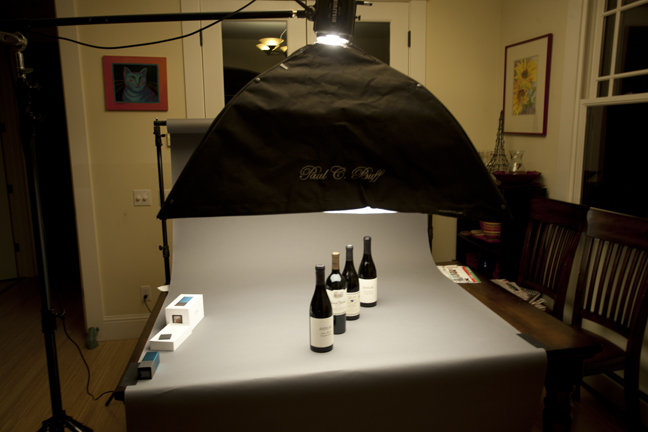
Then I set up a table with an overhead soft box and a strobe light to take photos of the product, and ultimately to test the Lytro on “product shot” with some wine bottles.

My Lytro test shots were taken on my dining room table, illuminated by a Paul C. Buff Einstein strobe flash – modeling light only.

My initial experience with the camera is very positive. The photos it takes are good. The ability to focus after the fact is valuable, but I am not seeing the dramatic results that one sees when visiting the Lytro web site. I think I need to push it harder, making images with more depth by putting the camera closer to the fist subject, and farther from the last subject.

I discovered a method for WordPress blogging software that will allow me to post my Lytro images here in “Living Picture” mode so that you can click on them to see the focus change. Try this one:

…and here is one of my test shots. It’s a  “Living Picture” so you can click on it here and there, and it will jump into focus where you click.

My photos, so far, suffer from being dull. I need to make them more dramatic, which is to say I need to make a greater distance between my foreground and my background. I’m thinking too much like a still photographer, and I need to learn how to be a Lytro photo.

I’ll post more here soon. This is, after all, Day Two.

Posted in Art, New technology, Photography | Leave a comment

My Lytro camera comes today

I’ve been up all night checking the UPS web site, watching progress as my new blue Lytro camera makes its way from Indianapolis to San Luis Obispo. There were eight hours there where nothing happened at all (except that the package flew east from Indiana to Kentucky). Then it flew to Los Angeles, and was trucked to Sylmar, California. From Sylmar it was trucked to our city.

The Lytro camera: a little bit too big for your pocket, a little too small for your purse or backpack. It’s an amazing technology that will find its way into many products in the future.

This morning it was in our local UPS distribution facility, ready for the truck.

UPS’s tracking system is nothing short of amazing (so is FedEx’s). You and I can track our packages down to the minute…

San Luis Obispo, CA, United States     03/02/2012     6:30 A.M.     Arrival Scan
Sylmar, CA, United States     03/02/2012     1:46 A.M.     Departure Scan
Sylmar, CA, United States     03/01/2012     9:45 P.M.     Arrival Scan
Los Angeles, CA, United States     03/01/2012     8:46 P.M.     Departure Scan
03/01/2012     5:43 P.M.     Arrival Scan
Louisville, KY, United States     03/01/2012     4:07 P.M.     Departure Scan
03/01/2012     8:38 A.M.     Arrival Scan
Indianapolis, IN, United States     03/01/2012     4:58 A.M.     Departure Scan
Indianapolis, IN, United States     02/29/2012     9:40 P.M.     Origin Scan

So, while I am out taking photos this morning, my Lytro camera will be cruising around town with Jeremy, my UPS delivery man, and getting closer to my office. By the time I return this afternoon it will be sitting on my desk.

Since I ordered the camera back in July, I have been studying how they are made, the math and science behind the “light field” technology, and the way the camera works. I am aware of criticisms in the media about the camera, and I am aware of the adulation of some photographers who have seen and used the camera in early release.

I have set my expectations rather low. I know it’s not a professional camera (it is rather low in resolution), and it’s not as fast as my fancy Canon camera (Lytro takes one frame every 1.3 second, my Canon can take six frames in one second.), and it’s not capable of making what I consider a “normal” photo (the Lytro has only shallow depth-of-field intentionally).

But with these expectations I also have a high level of excitement that I have not sensed since I got my first Kodak DC20 digital camera. This is the beginning of something big. I can feel it.

My bet is that the light field technology being commercialized by the Lytro camera will be incorporated in other digital cameras, and this will eventually allow professional photographers to correct focus, or change the point of focus, after the fact on the computer.

I also see this technology making the very obvious jump to video. If you have ever watched a motion picture being filmed you will appreciate the circus that represents.

There is the Director of Photography, usually sitting behind the camera, and there is the Focus Puller, a person whose job is to change the focus to predetermined locations for a shot. If a director wants a follow-focus shot, they must plan it, and practice it, and mark it and test it and measure with a tape measure, and then shoot it several times to be sure that they get the shot.

With light field photography in a cinema setting, the DP (Director of Photography) could just make the shot, and the editors could define depth-of-field, and point-of-focus in post-production.

The Red camera already has touch-screen focus (which works only with auto-focus lenses) where the DP can simply touch the screen where he or she wants the lens to focus (think: iPhone camera app). The lens jumps into focus at the point where the screen was touched, and it does this instantly. In order for this to be a production tool it will be necessary to add a control for the temporal axis. Not only do we want to define what is in focus, but when it is in focus, and how long it will take to come into focus, controls that I suspect are not very difficult to add to the digital cinema equation.

Lytro is clearly a consumer camera, but to me it represents the first wave of a completely new technology for shooting still and motion images.

Posted in Digital video, New technology, Photography | Leave a comment

GREP was staring me in the eye

I was sitting here looking at the search string I posted in yesterday’s blog, and realized that the solution to my problem was staring me in the eye.

The string I posted yesterday was for forcing ALL CAPS into lower-case. It was a solution that included not converting Roman Numerals. I don’t really need the Roman Numerals feature, I just need the ability to change normal strings of capitalized text into lower-case, and I don’t want my search string to include articles like A and I. Compound-words, words followed by periods, commas, hyphens, semicolons, and colons also need to be converted.

The secret is in the braces part of the string: {2,} which translates into find at least two capital letters. That solves the problem if I tag it on the end of a search string that searches for the capital letters of the alphabet [A-Z].

The search string that solves my problem is:

This, combined with the Javascript I licensed a couple of weeks back, provides a solution that I like. I can now stop obsessing over this particular GREPping drama.


Posted in Imposition and Pagination | Leave a comment