
This is another in a chain of posts related to my effort to digitize my film library. Please click here to read the first in this series.
In the RF-series lens collection made by Canon, there is only one true macro lens: the 100mm f2.8. That lens is capable of 1.4:1, meaning that it goes beyond 1:1.
The Canon lens is an extraordinary device, with stunningly sharp optics and corner-to-corner sharpness and transparency (no vignetting).
I have one of these lenses, and I use it primarily for fine art reproduction. But I have found that it’s not a good fit for digitizing my film, because it’s too long (focal length). It works wonderfully for 35mm film, but is inappropriate for 120, 70mm and 4×5 films because it has to be too far from the subject to be effective. For 4×5 it doesn’t work at all because my camera stand is not tall enough to accommodate the lens at 4×5 inch magnification.
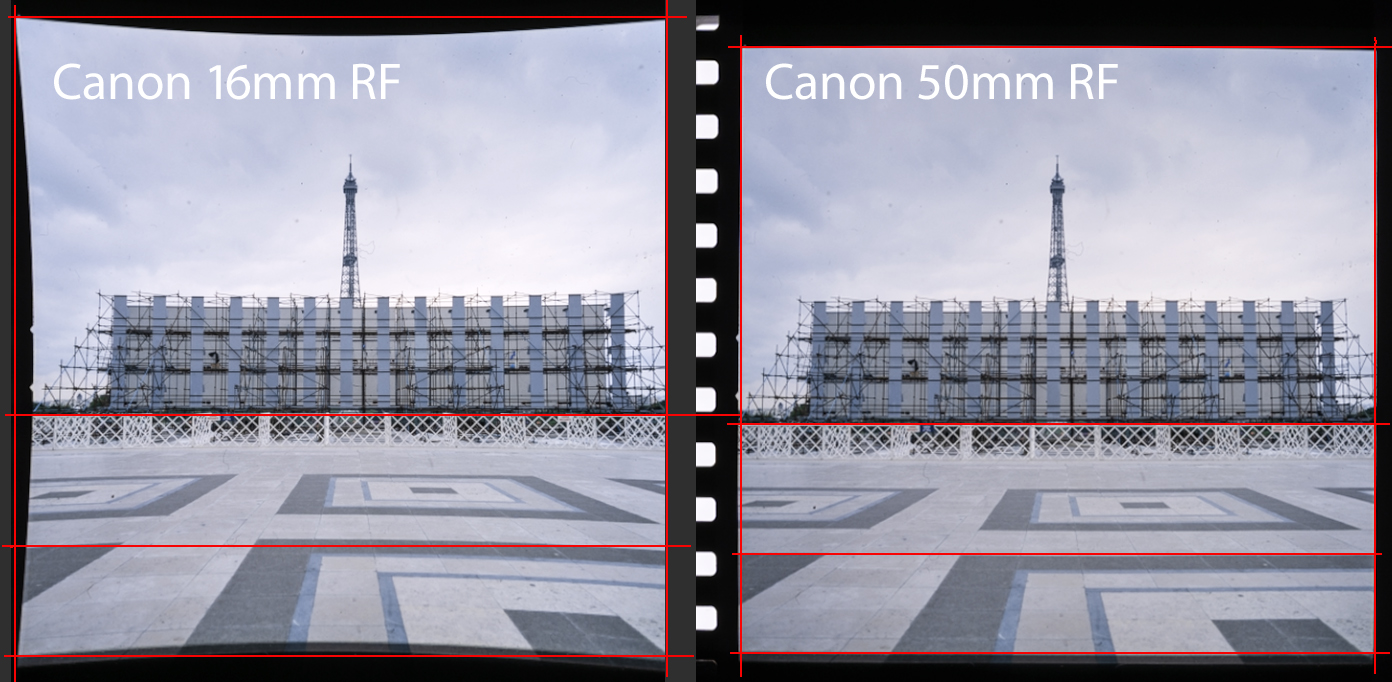
On the left is an image I scanned from a strip of 70mm film. The pincushion distortion is there because Adobe Camera Raw did not find the lens, nor the profile of the lens in its folder of lens profiles. ACR chose a Canon RF 16mm lens instead, and that resulted in extreme pincushion distortion. This is a mismatch between the actual lens and a wild guess that ACR made. On the right is the same image with a Canon 50mm RF lens profile applied. Notice that the pincushion distortion is (mostly) gone using that lens profile.
One problem is ambient light sneaking into the shot when the camera and lens are so far away from the subject. I have tested this in diffuse daylight and nighttime settings, and it is obvious that ambient light is part of the exposure in daylight hours. Negative Supply sells a couple of cylindrical shields for closing the path between the film and the lens, but I don’t want to hassle with these.
I realized shortly after I began this digitizing adventure that I would need a shorter lens. Nikon makes a fabulous 55mm macro lens that has been heralded for decades as the sharpest lens on Earth. I don’t shoot with Nikon, so that won’t help me (I even have one of those lenses out in the garage!).
Canon makes an 85mm “macro” lens that won’t focus at 1:1. In fact its closest focus is over 10 inches. That won’t work for this digitizing project. I bought a Laowa 100mm macro lens last summer that has greater magnification than the Canon 100mm lens, but it suffers the same problem of being too long.
I found a different Laowa lens that might do the job, but then chose a 7Artisans 60mm f2.8 lens that will work. It gets excellent reviews from photographers. It arrived, and I immediately found that it works for all sizes of film that I want to digitize. It’s very sharp, and it appears not to have any vignetting.
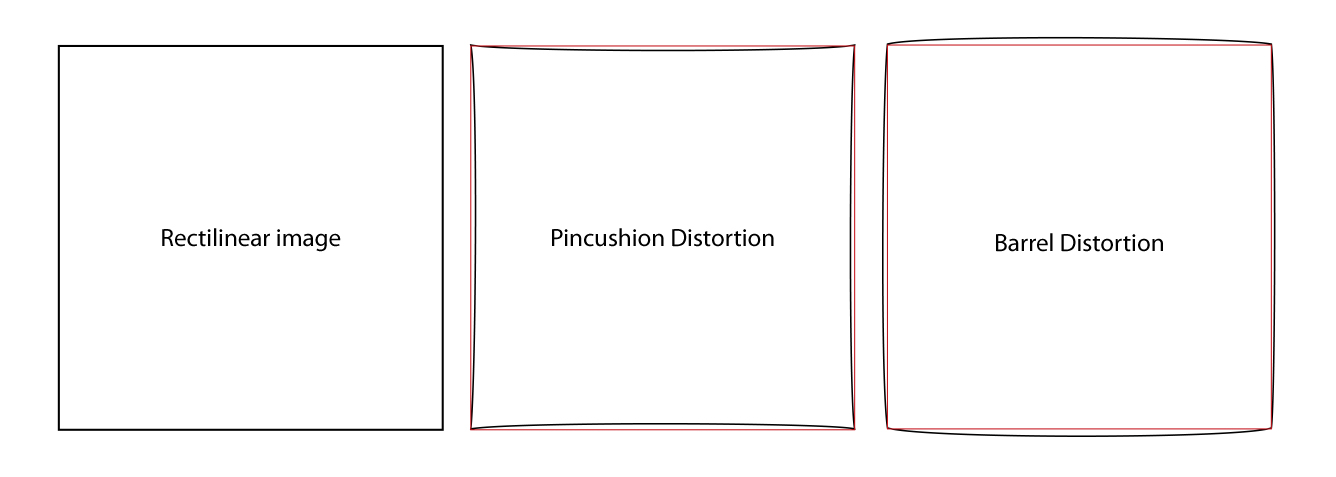
But images I take with it suffer from some pincushion distortion. This type of distortion is where the sides of the image bow inward very slightly. It’s the opposite of barrel distortion, which shows outward-bowing of straight edges.
Though it is a very small amount of distortion, it’s too much. I don’t want to introduce any distortion to my film digitization. And, the reason there is distortion with this lens is that there is no lens profile in Adobe Camera Raw for the lens. The pincushion distortion is not in the lens, it’s in the post-processing – Adobe Camera Raw. In other words, the distortion is a software problem, not an optics problem.
Adobe has corrective profiles for hundreds of lenses, including most offerings from Canon, Nikon and Sony (and many others). These profiles are automatically introduced to images when those lenses are used for digital photography. The 7Artisans lens is not among the lenses acknowledged by Adobe in Camera Raw and Lightroom (both use the same profiles). In addition to a lengthy list of lenses that are supported by the Adobe software, one can make a custom profile if there is not one available.
Once I discovered the distortion in my images, I was determined to make, and use a profile to correct for this distortion, and any vignetting and color aberration that may be present in this lens.
So, I looked up the Adobe Lens Profile Maker software, which, of course, is incompatible with my Mac’s operating system. I guess Adobe doesn’t want to support a software product that is used so seldom by so few people.
To the right of my main computer (a Mac Studio M1) I have an older MacBook Air with an M1 processor. It is running OS14, which Adobe claims in their documentation as being supported. I downloaded the application to that machine, and learned that it is in fact not supported. Right behind that MacBook is an older MacBook Air, this one with an Intel processor. It is running OS 12-something, which is still supported for this software. I downloaded and installed it on that computer, and it appears to work fine there.
The process of making a lens profile is to print-out one or more checkerboard patterns to paper, then mount those to foam core board and photograph them under proper lighting. The manual explains that I should take a minimum of 9 photos of each pattern. You start in the middle, with the target dead-center in about the middle of a frame, then you turn the camera about 30 degrees left and take a photo, then turn the camera 30 degrees to the right, and repeat the shot. Then, I am instructed to tilt the camera up about 30 degrees and repeat that process, then tilt it down 30 degrees and take a final three images.
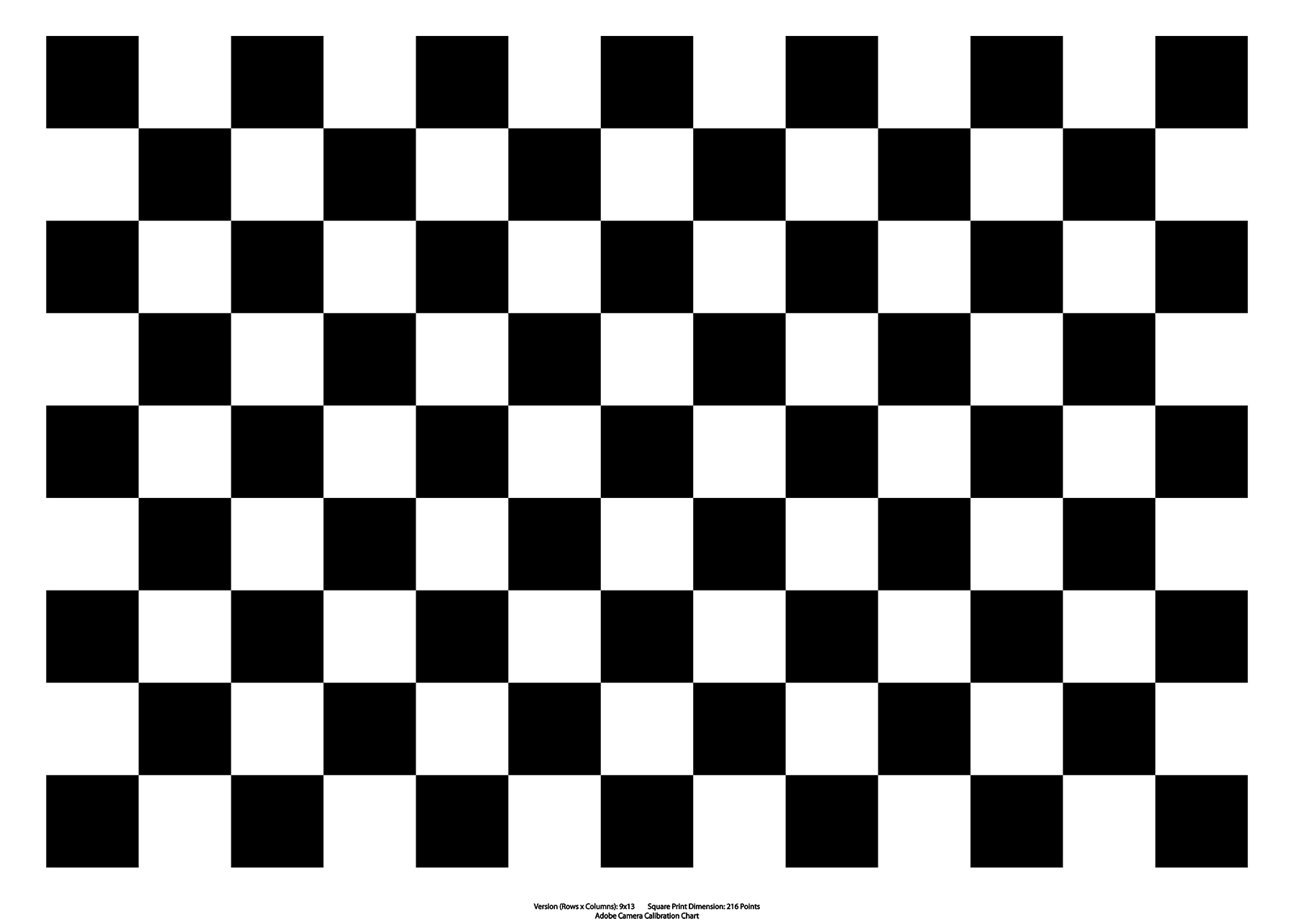
Above is one of many targets provided by the Adobe Lens Profile Creator software.
You print this target, then photograph it with the camera and lens you are profiling, and then the software creates a lens profile for that combination.
Those nine (or more) photos are supposed to be made with manual exposure that is locked for all the frames. They must be imported or converted to DNG images, which I make using Adobe’s (odd-but-powerful) Photo Downloader software (part of Adobe Bridge).
With those nine images ingested, the Lens Profile Maker software will make a custom lens profile that will work in Bridge and Lightroom to correct for measured aberrations and distortions in any tested lens.
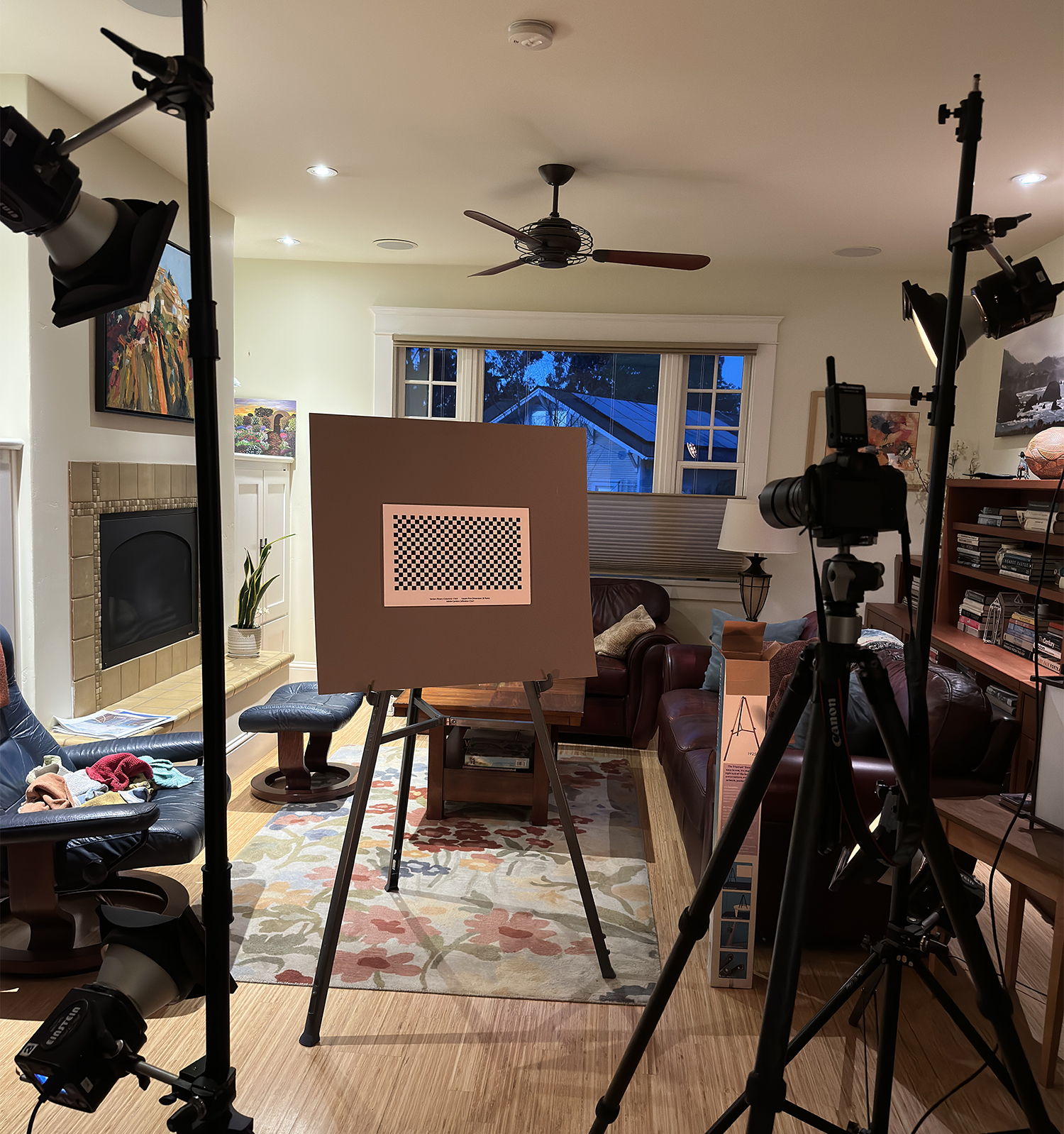
This is my chosen test pattern, printed on 11 x 17 inch paper, then mounted on a gray card, and illuminated by four Paul C. Buff Einstein strobe flash units in my living room. I made the photos at night so that there was no ambient light in the equation.
Or at least that’s what the manual says it will do.
After several attempts to photograph the lens profiling targets as described in the Adobe software manual, I was finally able to get the software to make a lens profile. It prompted me to name my profile with the words Canon R5. I added 7Artisans 60mm Macro to that, and saved it to the correct folder:
Macintosh HD/Library/Application Support/Adobe/Camera Raw/Lens Profiles/1.0/
Inside that folder I put the new profile into the Canon sub-folder.
I also made a new folder, aside the Canon, Leica, Hasselblad, Nikon folders entitled Seven Artisans, and I put a copy of the lens profile into that folder also. I know that Adobe Camera Raw is very fussy about the camera and lens being the correct ones for some operations.
But my new profile did not show up in the list of available profiles. My new Seven Artisans folder was also not acknowledged by Camera Raw. I restarted the computer, then tried again, and got nowhere.
While snooping around the available lens profiles, I tried one that was provided by Adobe: Canon 50mm f1.8 RF. Interestingly, that profile corrected my pincushion distortion almost perfectly!
I have searched high and low, but I have found no information that explains why a profile generated by Adobe’s software, and stored in the location Adobe shows in the software manual, is not found by Adobe’s Camera Raw and Lightroom software.
Meanwhile, I plan to use the Canon 50mm lens profile I found that makes the images look the best.
Update (next day) Friday, February 27:
I tried processing the same photos in the Adobe Lens Profile Creator software, and this time I saved the resulting profile in the Canon folder, but with the name Seven Artisans, instead of 7Artisans. I had a nagging thought that Adobe Camera Raw (and its lens profile window) might not like a name that starts with a numeral. Voilá! That worked, and now I am able to use the profile for the specific lens I have. So, my problem is solved, and I have a good profile made with the actual lens that I am using for film digitization.
